
How to Provide Liquidity
Providing liquidity on Lithos allows you to earn trading fees, emissions, and incentives while supporting healthy markets.
Step-by-Step Guide
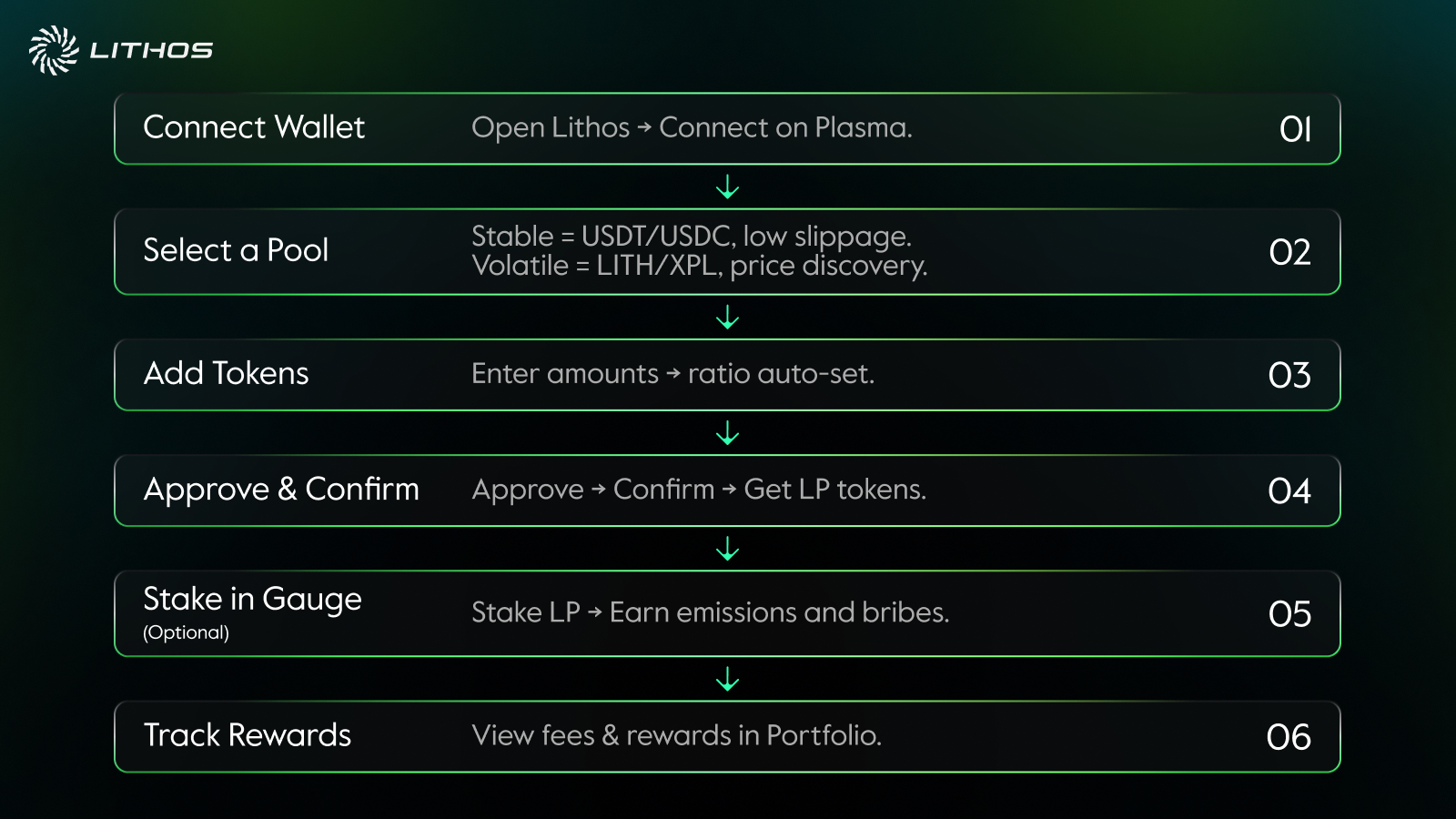
1. Connect Wallet
Open the Lithos app and connect your wallet. Ensure your network is set to Plasma.
2. Select a Pool
Navigate to the Pools section. Pools are categorized by type:
- Stable Pools: For correlated assets like USDT/USDC. Low slippage and low fees.
- Volatile Pools: For uncorrelated pairs like LITH/XPL. Designed for price discovery, with standard fees.
3. Add Tokens
Choose the pool and input the amount of tokens to deposit. The app will automatically calculate the required ratio.
- Example: Adding USDT/USDC to a stable pool requires equal values of both tokens.
- Example: Adding LITH/XPL to a volatile pool requires both tokens in the current pool ratio.
4. Approve & Confirm
Approve the tokens in your wallet and confirm the liquidity transaction. You’ll receive LP tokens representing your share of the pool.
5. Stake in a Gauge (Optional)
If the pool has a gauge, you can stake LP tokens directly into it. Staking enables you to earn:
- LITH emissions based on veLITH voting.
- Voting incentives (bribes) deposited by partners.
6. Track Rewards
Go to the Portfolio or Rewards tab to see accrued fees, emissions, and incentives.